


Updates to WooCommerce address validation plugin with block support & more customisation

We've been making improvements to our WooCommerce plugin to make address capture more reliable and easier to configure. Here's what's changed.
Block Compatibility
The plugin now fully supports WooCommerce's block-based checkout. If your store is running WooCommerce version 8 or above, you'll have access to all current features straight away.
If you're still on an older version, we'd encourage you to make the switch to blocks. The legacy shortcode checkout is no longer something we support, and moving to blocks will give you a more stable foundation as well as access to the latest improvements in the plugin.
More Control Over How Addresses Are Handled
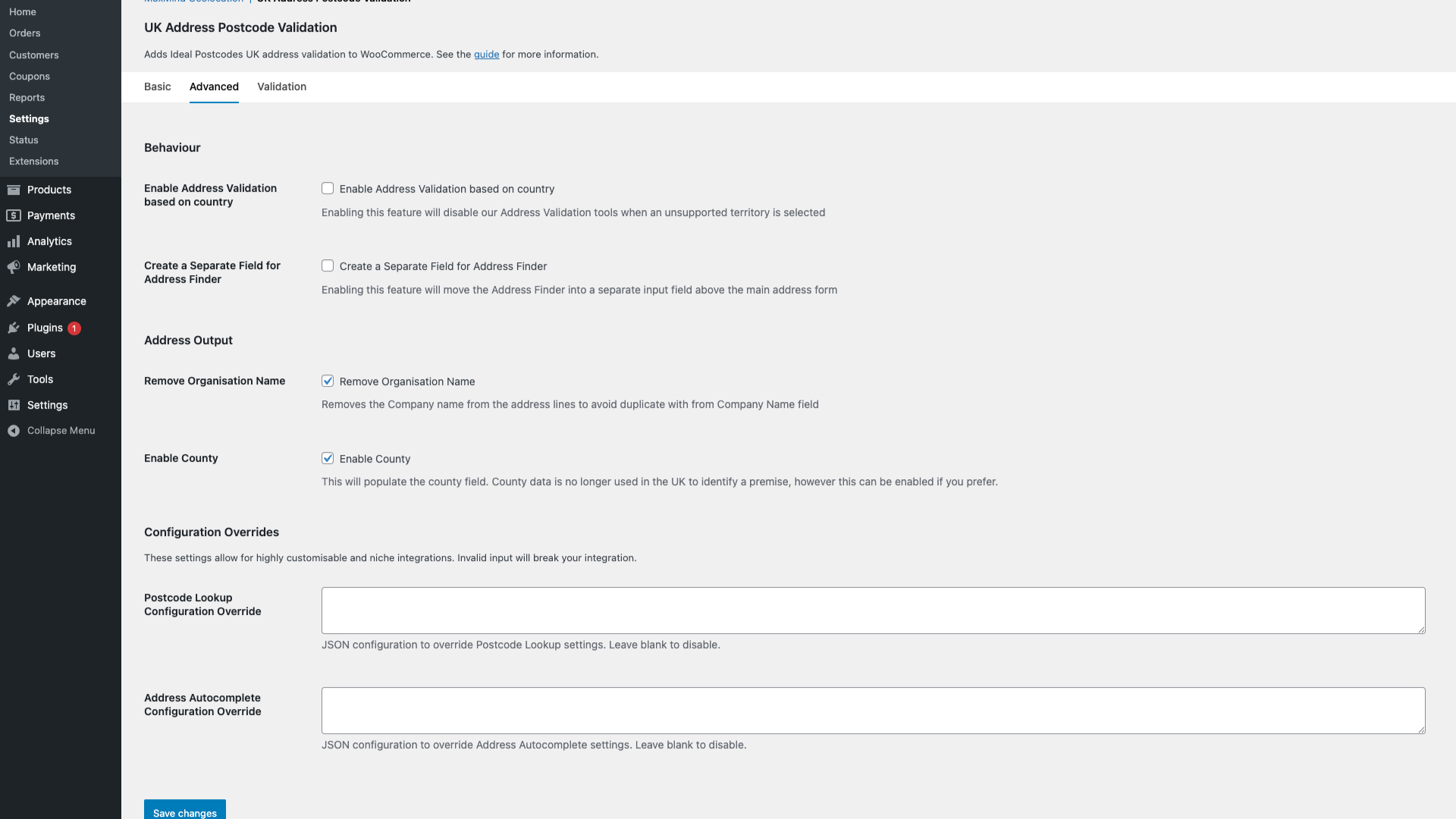
We've expanded the configuration options available in the plugin settings, giving you more flexibility over how address data is verified and formatted. Under the Advanced tab, you'll find a couple of options worth knowing about.
Enable Address Validation Based on Country switches off the address validation tools automatically when a customer selects a country we don't support.
Create a Separate Field for Address Finder moves the address lookup into its own dedicated input above the main address form. Some stores find this cleaner from a UX perspective, particularly if you want the lookup to feel distinct from the manual address fields.
There are also two Configuration Override fields for Postcode Lookup and Address Autocomplete. These accept JSON input and are intended for more specific setups where the standard settings don't quite meet your requirements. Leave them blank unless you know you need them.
Formatting and Restrictions for Validation
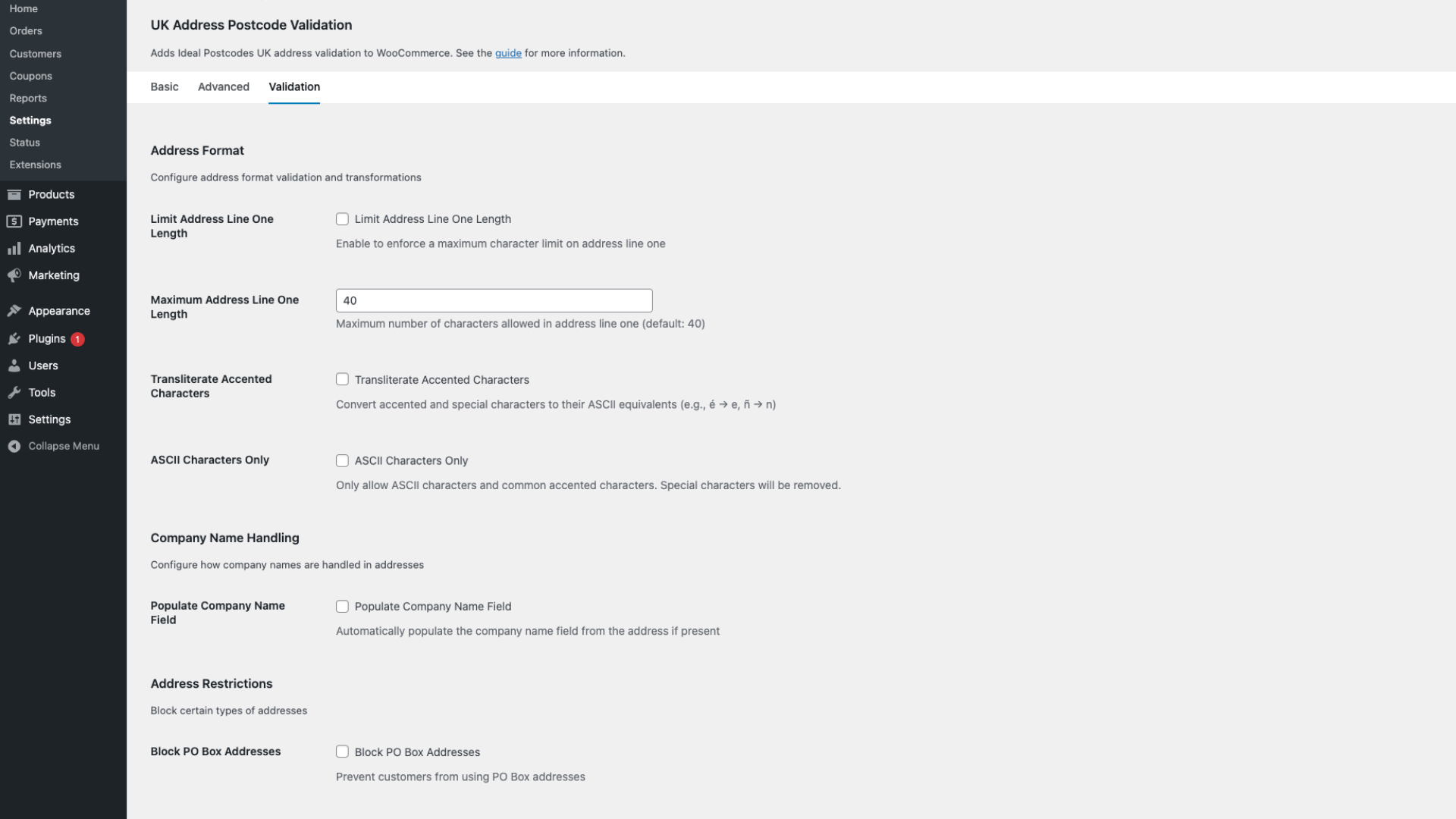
The Validation tab offers settings that control how addresses are formatted once they've been captured, and what types of addresses are permitted.
Limit Address Line One Length lets you enforce a maximum character count on the first address line. The default is set to 40 characters, which aligns with common carrier and fulfilment system requirements.
Transliterate Accented Characters converts characters like é or ñ into their ASCII equivalents. This can be helpful if your downstream systems or delivery integrations don't handle special characters well.
ASCII Characters Only takes this a step further by restricting input to standard characters, removing anything outside that range entirely.
Under Company Name Handling, you can choose to automatically populate the company name field if an address includes an organisation name. This can save B2B customers a step at checkout.
Block PO Box Addresses prevents customers from using PO box addresses at checkout. If your fulfilment operation can't deliver to them, it's better to catch this before an order is placed.
A Fix for Postcode Lookup and Required Fields
We'd been hearing from users that the postcode lookup could sometimes interfere with checkout form validation. The lookup input was being treated as a required field, which in some cases prevented order submission even when a valid address had already been entered.
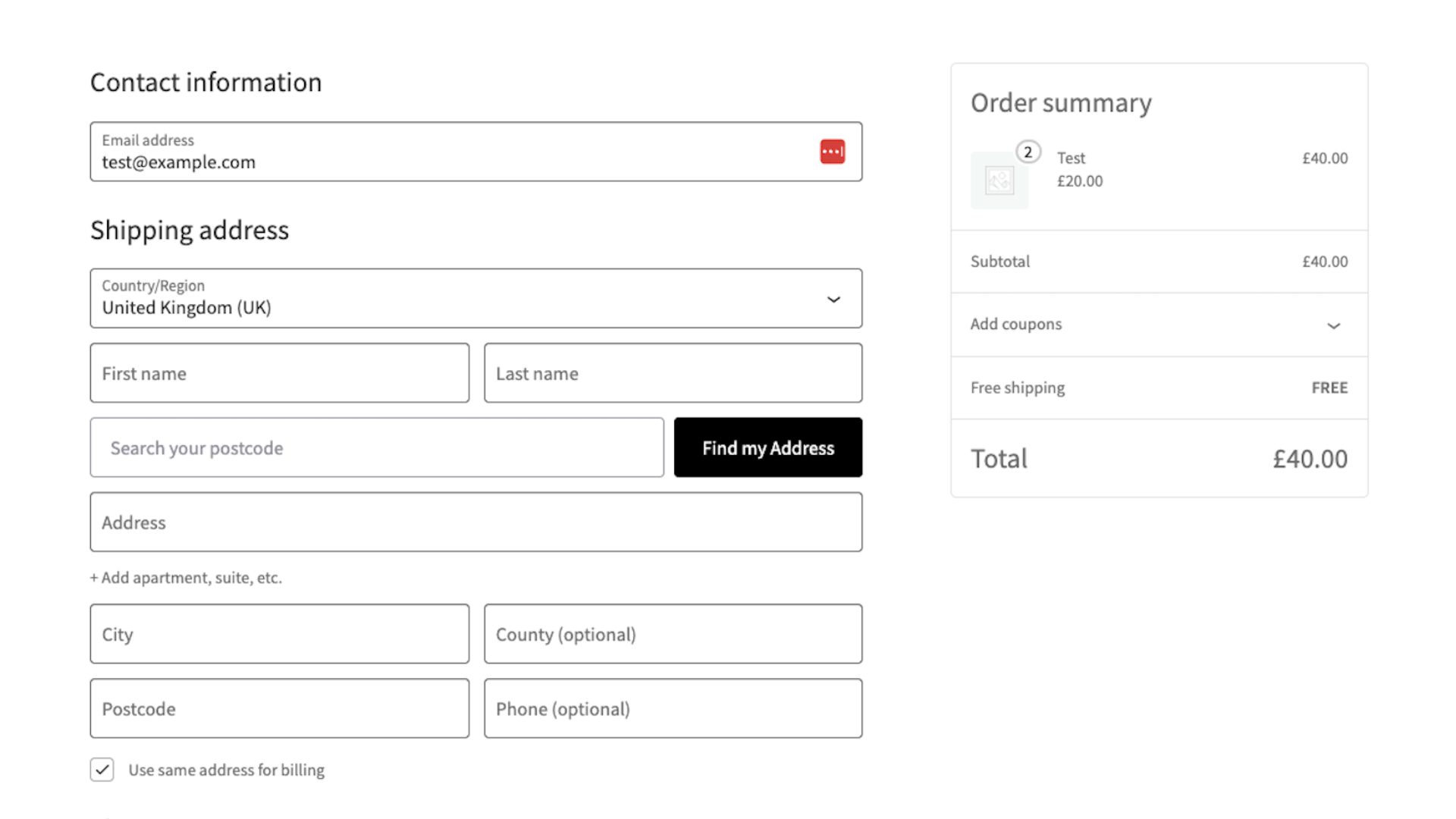
We've resolved this by rebuilding the postcode lookup as an isolated web component. It now operates independently from the rest of the checkout form, so it can no longer trigger validation rules that don't apply to it. Checkout behaves as expected, and the lookup no longer gets in the way.
Getting Started
If you're already using the plugin, updating to the latest version will bring all of these changes across. The new settings are available in WooCommerce under Settings > Integration > UK Address Postcode Validation.
If you haven't already integrated the plugin, follow the Ideal Postcodes WooCommerce address validation documentation.
If you have questions, our support team is happy to help.